play aja Brings Indonesia Wallets Beside Every Lobby
play aja puts Live Roulette Wheel, Toraja Gold Slots and Football Score Chase beside DANA, OVO, GoPay and QRIS, giving you one clear home…

Casino and Slots Near Your Wallet
Our first home lobby row places casino and slots beside the wallet chip row, so you can browse without losing sight of DANA or QRIS status.







What You Find on the play aja Home

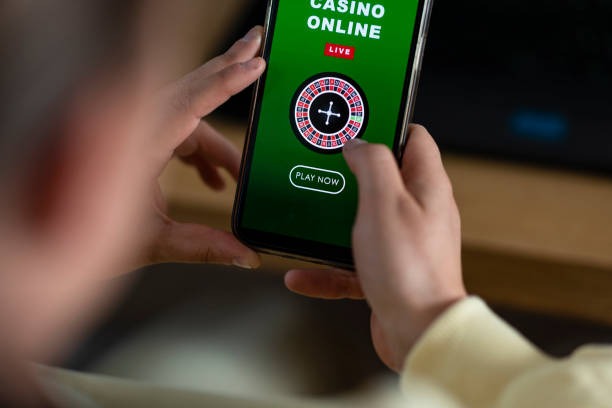
Six clear lobby routes give you a practical starting point on our home page. Toraja Gold Slots and Nusantara Treasure Megaways sit in the slot area, while Live Roulette Wheel leads into dealer-table choices that include baccarat, Dragon Tiger and blackjack. Aviator Quick Arena and Fishing War Fast Round provide shorter round formats, and Football Score Chase connects with football,
badminton and basketball markets. We keep these categories on one home rather than sending you through separate account areas. Your active category remains visible as you move between casino, slots and sports, helping you return to the content you opened first.
Clear Account and Wallet Paths

Open Your Account from the Home
A short account path takes you from our home page to verified access without mixing login and opening steps. Start with the account control, enter the requested personal details and use a phone number you can receive messages on. We send a verification step before account access, and you should complete it in the same browser session. Once confirmed, return
to the home lobby and choose casino, slots or sports from the primary category row. Your DANA, OVO, GoPay and QRIS choices appear through the cashier after access. Use accurate details because withdrawal checks compare the account holder with the receiving wallet or bank account.
Mobile Casino and Slots for Indonesia
Mobile Wallet Status Without Extra Pages
A single mobile browser path connects account access, the home lobby and the cashier. You do not need a separate app to browse the page: open playaja.club in your current browser, complete phone verification when requested and select a lobby category. The layout places slot search and category controls before long card rows, while the cashier shows DANA, OVO, GoPay
and QRIS as separate routes. When QRIS is selected, follow the displayed scan step using your payment device and return to the browser for the updated status. Avoid refreshing during confirmation because the wallet provider may still be returning its response.
Account Signals You Can Check
Concrete account and cashier signals help you understand what is happening before you open a game.
Phone Verification
We confirm the phone attached to your account before access, giving you a clear checkpoint between entering details and reaching the home lobby.
Named Payment Routes
DANA, OVO, GoPay, QRIS, bank transfer and virtual account appear under their own labels, rather than being grouped behind an unclear wallet button.
Visible Transaction Status
The cashier keeps submitted, pending and completed states separate, so you can check the provider response before attempting another transfer from the home path.
Policy Access
Terms and account policies remain reachable from the home area, letting you check access conditions, verification requirements and game rules before choosing a category.

Protecting Your Home Lobby Session
Phone verification creates the first clear checkpoint for your play aja account, while careful session handling protects the path back to the home lobby. Use your own phone number and do not share verification messages or account credentials. When using a shared device, close the session after checking the cashier or finishing a game. We may request another ownership check
when account details and the receiving wallet do not match, particularly before a withdrawal is processed. The home page keeps the account control separate from game cards, reducing accidental navigation into credential fields. If access stalls, use the nearby help path rather than repeatedly submitting the same details.
DANA and QRIS from Our Home
Local cashier choices are visible from the home account path after you complete access checks.
Casino and Slots After Cashier Checks
Our third home lobby row appears after the payment area, making casino and slots easy to resume once you have checked a transaction.
Checking Withdrawals from the Home Cashier

A withdrawal begins with account ownership checks, not with selecting a game or changing your home category. Open the cashier from the account area, choose an available receiving route and confirm that its holder details match your verified account. We may request supporting details when a wallet name, bank name or phone number differs. After submission, use the transaction record
to distinguish a pending check from a completed transfer. DANA, OVO, GoPay, bank transfer and virtual account routes can follow different processing paths, so read the status attached to that specific request. Do not create a duplicate while the first request is still pending.
Help When Login or Wallet Status Stalls
The home help path focuses on the two places where you most often need a clear next step: account access and cashier status. Before sending a request, note the phone number attached to the account, the selected payment rail and the transaction reference when one exists. Do not include a password or verification message. For payment checks, keep the DANA, OVO, GoPay, QRIS or bank receipt available and state whether the cashier shows submitted, pending or completed. For login issues, explain whether phone verification arrived and which browser step failed. This detail lets us examine the correct stage without asking you to repeat the whole process.
Login Help
Tell us whether the issue occurs before or after phone verification and which home control you used. Never send your password or a verification message in the request.
Wallet Status Check
Provide the payment rail, transaction reference and visible cashier state. A DANA or QRIS receipt helps us separate a provider delay from an unsubmitted request.
Withdrawal Check
Share the request reference and receiving method, but omit credentials. We check whether account ownership details, wallet details or bank details require another confirmation step.
Local Access from the play aja Home
Availability begins with your location and depends on local law. Our home presents Indonesia payment context through DANA, OVO, GoPay, QRIS, virtual account and bank transfer, but seeing a payment label does not replace local access conditions. Read the terms and account policies linked from the home area before opening an account or entering a game. The same applies to
football, badminton and basketball markets, live tables and slot rooms. We use clear category names so you can decide what to browse without treating every area as available everywhere. If your location or eligibility changes, check the current access wording before continuing.
Questions About the play aja Home
These answers cover the actions you are most likely to take from our home page: opening an account, finding games, using an Indonesia wallet, checking a withdrawal and resolving an access problem. Each route begins from the same account or category controls described on the page. Keep your verified phone available for account checks and retain transaction references for cashier questions. The home can show available categories and payment choices, but access depends on local law. If a wallet response is pending, check its transaction record before submitting another request or entering different receiving details.